
The theme you select for your WooCommerce store forms the visual identity of your digital brand. It is the virtual storefront that greets your customers the moment they land on your site. A poorly designed theme can confuse visitors, project an unprofessional image, and cause users to abandon their shopping carts. Conversely, an optimized e-commerce theme builds instant trust, highlights your products beautifully, and guides users smoothly through the purchasing funnel. Choosing a theme requires balancing aesthetics with technical performance.
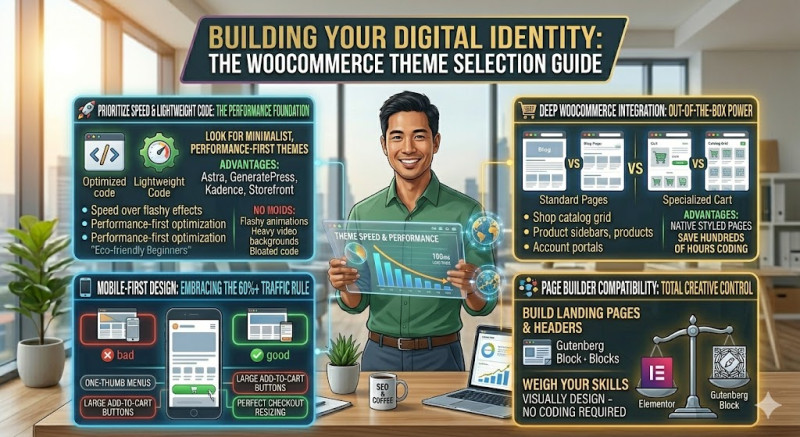
The number one rule when selecting a WooCommerce theme is to prioritize speed and lightweight code over flashy animations. Many premium themes available online look incredibly dazzling in their demos because they are packed with complex sliders, heavy video backgrounds, and custom scripts. However, this bloated code can dramatically slow down your store's loading times, killing your conversion rates. Look for minimalist, performance-first themes that are specifically optimized for e-commerce, such as Astra, GeneratePress, Kadence, or the official WooCommerce theme, Storefront.
Secondly, you must ensure the theme embraces a "mobile-first" design philosophy. Over 60% of all worldwide e-commerce traffic originates from mobile devices like smartphones and tablets. Open the theme's live demo on your personal smartphone and test it thoroughly. Are the menus easy to navigate with one thumb? Are the "Add to Cart" buttons large and distinct? Does the checkout screen resize perfectly without requiring horizontal scrolling? If the mobile experience feels clunky, move on to a different option immediately.
Thirdly, ensure deep integration with WooCommerce out of the box. A general blogging theme might look nice, but it won't have pre-designed templates for critical e-commerce pages. Your theme needs specialized layouts for the main Shop catalog grid, product filtering sidebars, single product galleries, shopping carts, and customer account portals. Having these pages styled natively saves you hundreds of hours of manual CSS coding.
Finally, consider compatibility with modern WordPress page builders like Elementor or the native Gutenberg block editor. This compatibility allows you to visually design custom landing pages, headers, and promotional banners without writing a single line of code, giving you total creative control over your business identity.